
What Binance Options RFQ Actually Does
Binance’s Request for Quote system is built for traders who need precision when moving serious size or running complex options strategies. Instead of relying on a public order book, which can get messy once the numbers get big, RFQ lets you ping multiple market makers for a firm, custom price. You get a quote tailored to your trade, not whatever happens to be sitting on the book.
For anyone managing risk on large positions or bundling several legs into a single strategy, the setup cuts out a lot of friction.
Key Features That Stand Out
Custom pricing on demand
RFQ lets you send a direct request for a quote based on the exact structure you want to trade. This is especially useful when standard pricing doesn’t reflect your actual execution needs or when a single fill matters more than squeezing through the book.
Fully compatible with Binance Options
If you already trade options on Binance, RFQ feels familiar. RFQ positions sit alongside your regular options positions, and you can close them on either interface. There’s no juggling accounts or reconciling two systems.
Built-in Multi-Leg support
Complex spreads normally require firing off one order at a time, hoping the market doesn’t move while you’re halfway through. RFQ fixes that by letting you submit the entire structure as one package.
The benefits are clear:
• All legs fill together, which keeps your risk clean.
• Market makers often quote better pricing on a combined structure than on each leg traded independently.
Why Traders Use RFQ
Access to deeper liquidity
RFQ routes your request to Binance’s OTC desk and approved market makers, which means you’re pulling from larger liquidity pools than what’s visible on the open book. Large trades become more stable to execute.
Reduced slippage and smoother execution
Direct quotes cut out the guesswork. You know the price before you hit confirm, and you avoid the price drift that can happen in thin markets.
Straightforward interface
You get predefined strategies, clean menus, and a layout built for speed. Even advanced setups feel manageable if you’re not a full-time derivatives pro.
Getting Started: A Quick Walkthrough
1. Open Binance Options RFQ
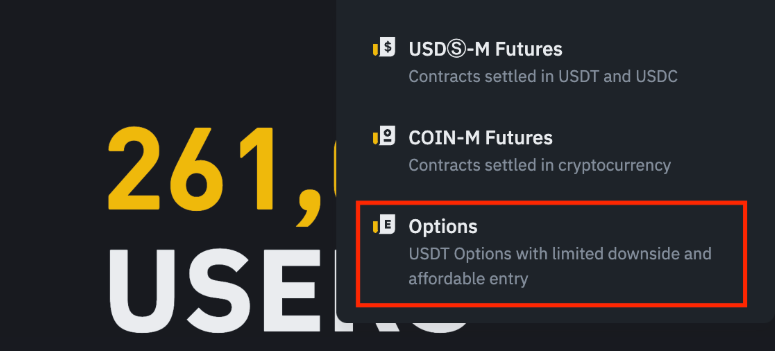
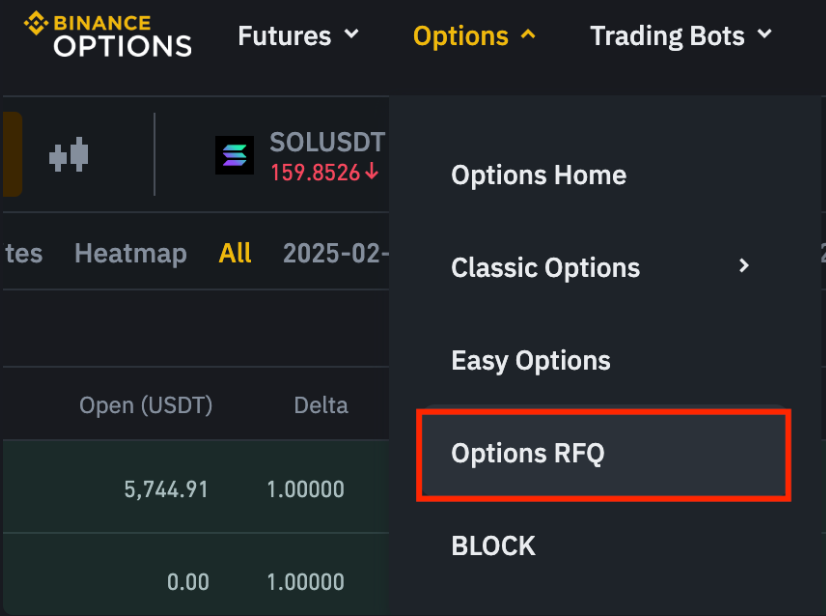
Log in, head to the Futures menu, then into Options, and you’ll find the RFQ section. VIP users can also access it through the VIP Portal. First-timers need to complete a short options questionnaire.
2. Build your trade
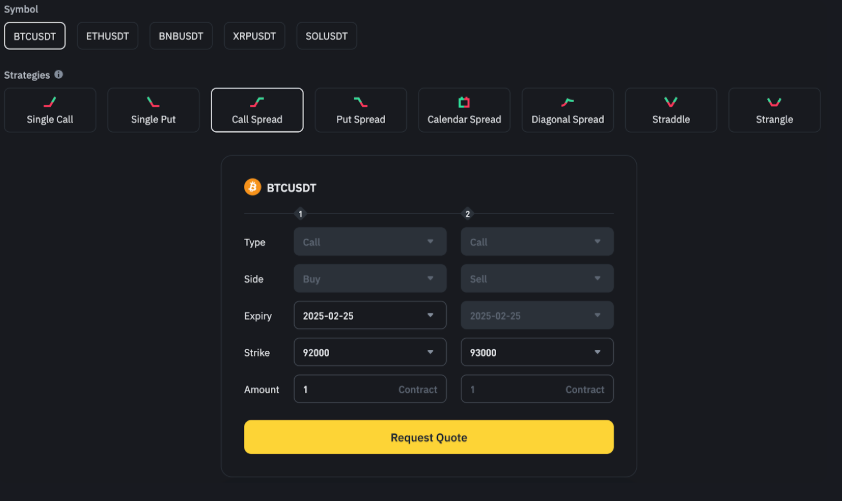
Pick the asset, direction, expiry, and strike. For Multi-Leg strategies, choose from Binance’s preset structures or build your own.
3. Request your quote
Hit “Request Quote” and wait for the system to return pricing from market makers.
4. Confirm the trade
Review the quote, check the structure, and submit. Once confirmed, the position appears alongside your standard options activity.
5. Track everything on the dashboard
The RFQ dashboard gives you a clear view of active trades, fills, and exposure.
Who Benefits Most
RFQ was designed with power users in mind. That includes:
• Institutional desks running size.
• Advanced retail traders managing multi-leg structures.
• Binance VIP users who want cleaner execution and lower implicit costs.
Final Take
Binance Options RFQ gives traders a cleaner path to execute size, run spreads, and lock in reliable pricing without wrestling with an order book. The multi-leg upgrade is a major quality-of-life boost, making advanced strategies easier to execute and safer to manage.